Prompt Guide
How to Describe Lighting in AI Image Prompts
Learn how to describe lighting clearly in AI image prompts using direction, intensity, color, and mood.
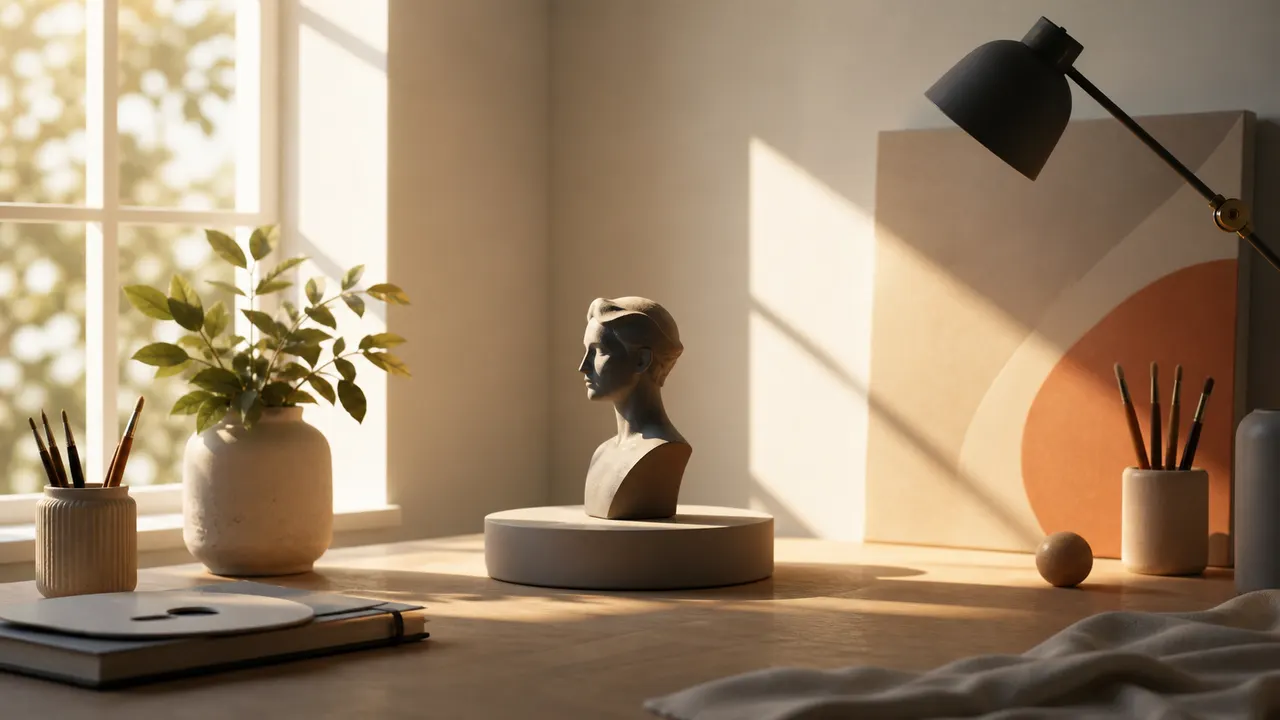
Lighting changes the whole image. Instead of adding vague words like beautiful lighting, describe where the light comes from, how strong it is, and what mood it creates.
Lighting is one of the fastest ways to make an AI image feel more intentional. A good lighting phrase does not need to be long. It needs to tell the model what kind of visual environment you want.
Start with the direction of the light. Useful phrases include front lighting, side lighting, backlighting, overhead lighting, window light, and low-angle light. Direction affects shadows, facial detail, and the overall composition.
Then add intensity. Soft light creates gentle shadows and a calm image. Harsh light creates strong contrast and a more dramatic result. Diffused light works well for portraits, cozy interiors, and natural scenes. Direct sunlight works better for outdoor action, summer scenes, and strong visual contrast.
Color temperature also matters. Warm lighting suggests sunset, candlelight, firelight, or a nostalgic mood. Cool lighting suggests moonlight, winter, technology, or a quiet interior. Neutral lighting is useful when you want the subject, outfit, or product to stay clear.
A practical prompt fragment might be:
soft side lighting from a large window, warm afternoon glow, gentle shadows
Avoid stacking too many lighting styles at once. A prompt that says cinematic lighting, neon lighting, golden hour, candlelight, moonlight, and studio lighting may confuse the image. Pick one main lighting idea and let the rest of the prompt support it.
Good lighting prompts usually answer three questions:
- Where does the light come from?
- Is it soft or strong?
- What mood should it create?
A simple structure is:
[light direction] + [light quality] + [mood or color]
Example:
backlit by the setting sun, soft golden rim light, calm evening atmosphere
Lighting should support the image concept. It should not replace the subject, action, clothing, or scene. Use it as the final layer that makes the image feel finished.